
Getting Started
Resetting Your Password
If you've forgotten your password, you can request a reset link from the login page.
Step 1: Open the Reset Password Page
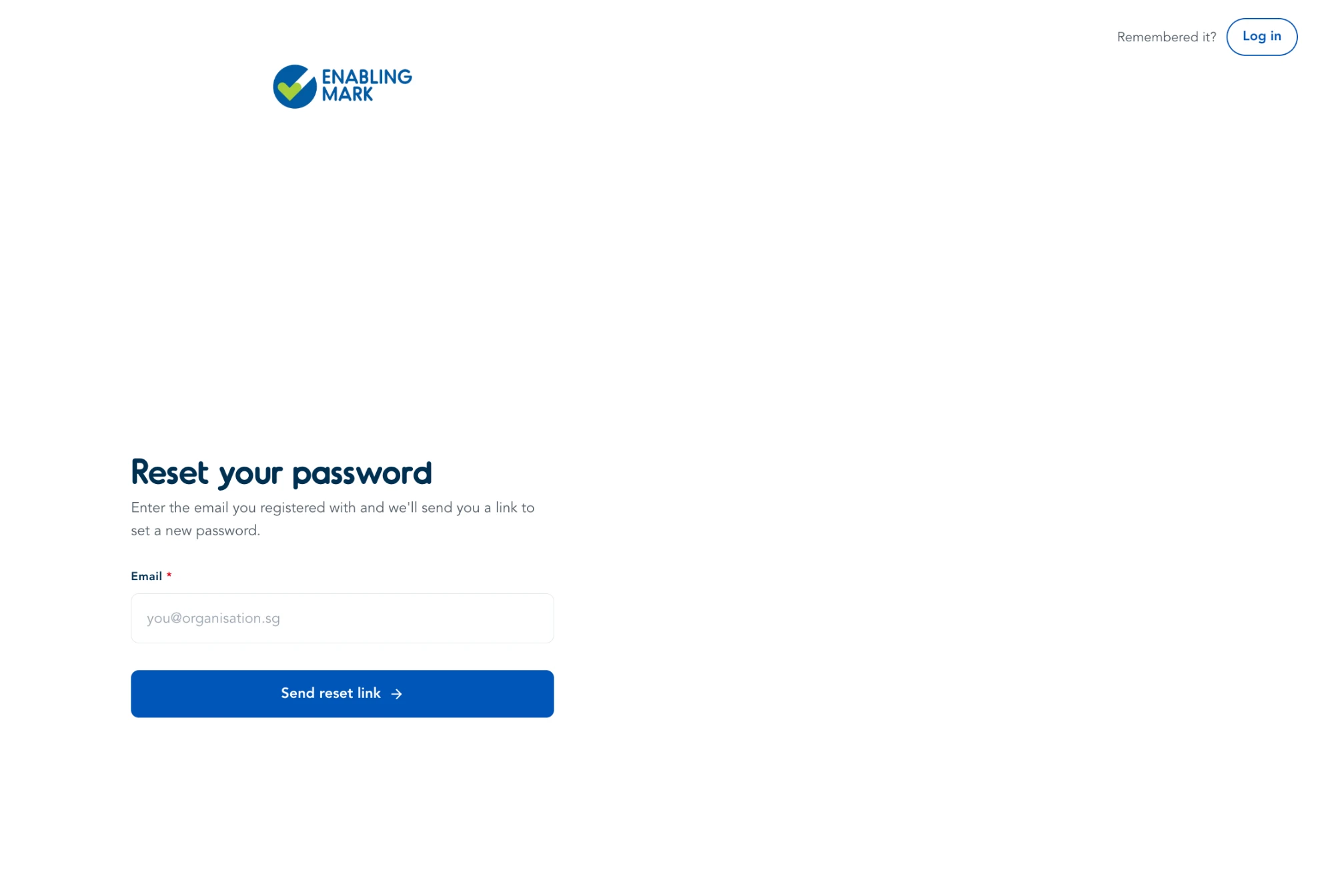
On the login page, click Forgot Password. This takes you to the Reset your password page.
Step 2: Enter Your Email
Enter the email address you registered with, then click Send reset link.
Step 3: Check Your Email
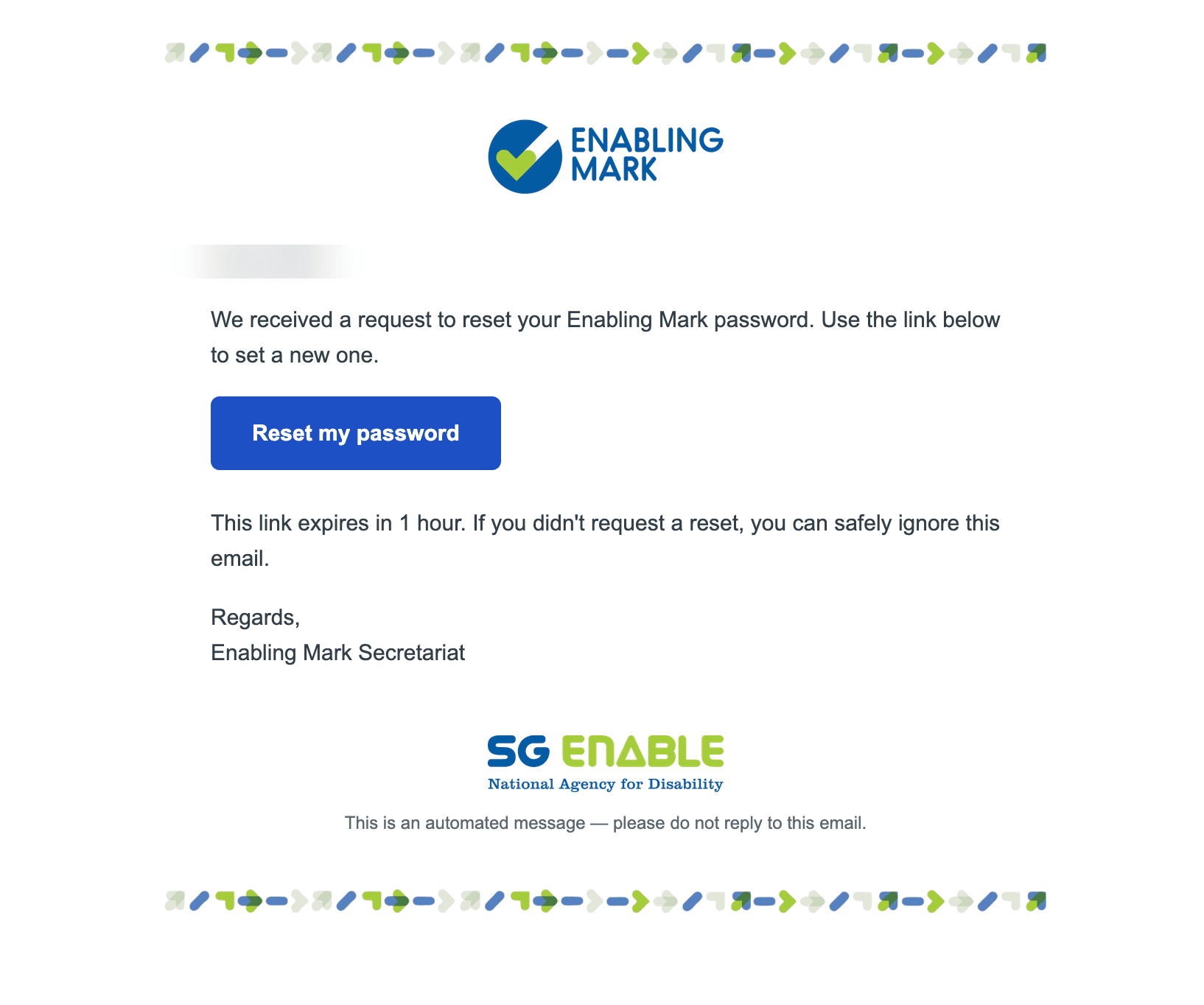
You'll receive an email with a Reset my password button. Click it to set a new password — the link expires in 1 hour.
Once you've set your new password, you'll be taken back to the login page.
Tips
- If you don't receive the email within a few minutes, check your spam or junk folder.
- The reset link expires in 1 hour — if it no longer works, repeat the steps above to request a new one.
- If you remember your password before completing the reset, click Remembered it? Log in (top right of the reset page) to go back to the login page.
Last updated on