
Application Overview
Your Enabling Mark application is made up of 5 sections. Complete all 5, then submit for assessment.
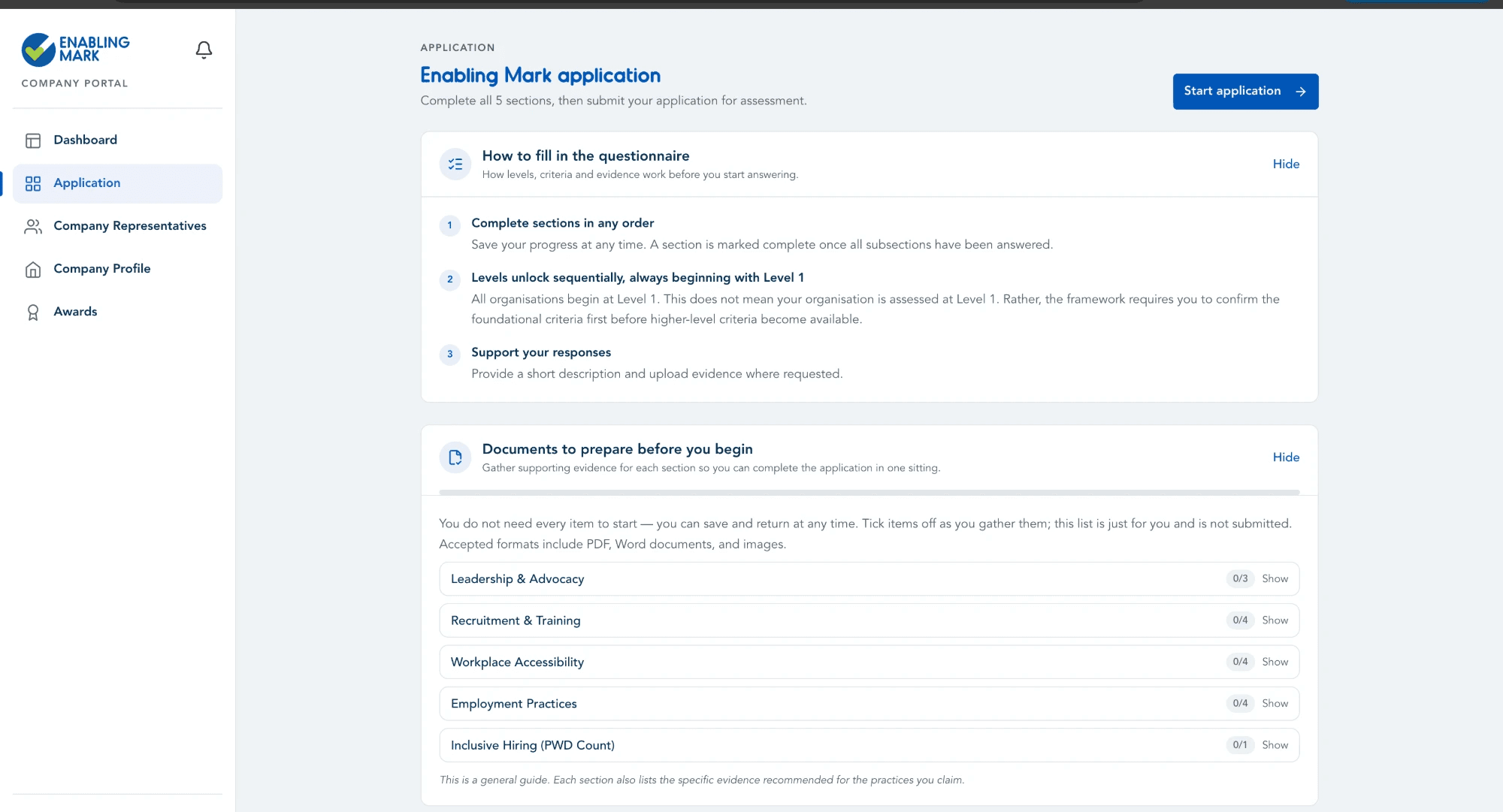
Completing Levels & Criteria
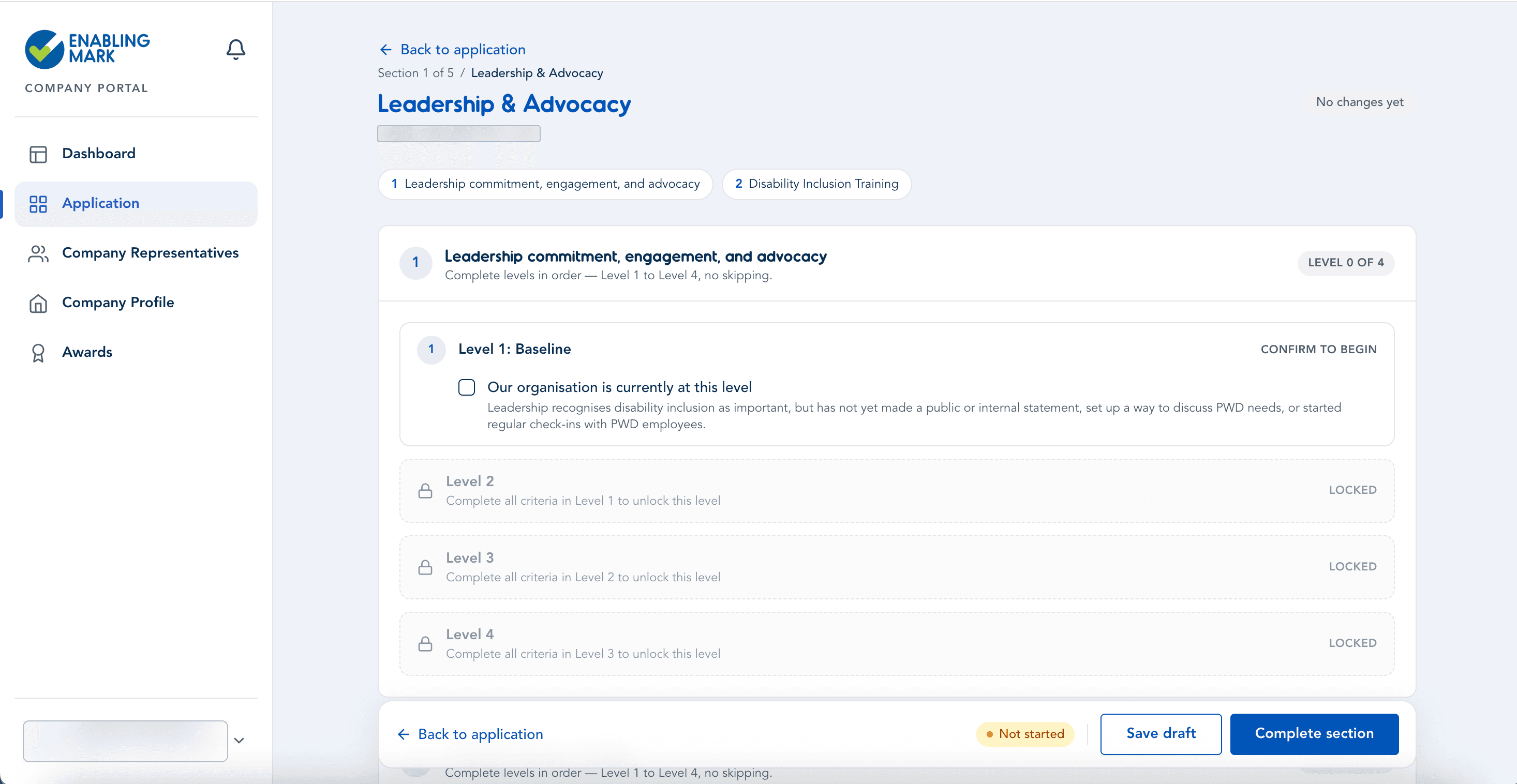
Each section of your application (Leadership & Advocacy, Recruitment Practices, Workplace Accessibility, Employment Practices) is organised into Levels (1–4). Levels build on one another — you must complete the criteria in a lower level before the next level becomes available.
Ticking a criterion
- Open the relevant section from My Application.
- For each unlocked level, tick the checkbox next to each criterion you can confirm.
- Once ticked, additional fields may appear (a description, supporting evidence question, and/or a file upload) — complete these as required.
- As you complete all required criteria in a level, the next level unlocks automatically and becomes available to fill in.
Unticking a criterion
You can untick a previously confirmed criterion or the Level 1 confirmation at any time while your application is in draft.
- If no higher level depends on it: the criterion unticks immediately — no further action needed.
- If a higher level depends on it (i.e. you've already started or completed work in a level that this criterion helped unlock), you'll see a confirmation pop-up:
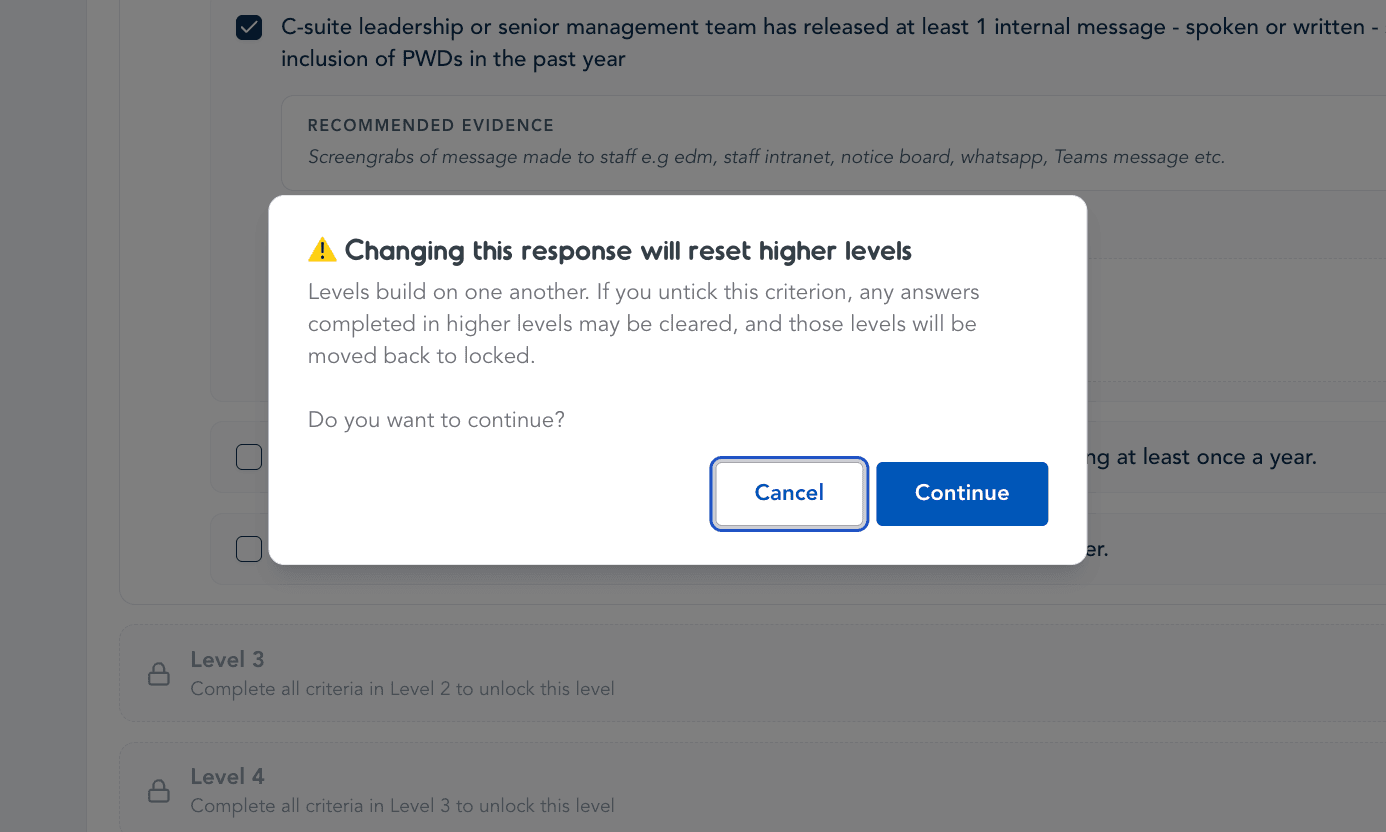
- Select Cancel to keep everything exactly as it is — nothing changes.
- Select Continue to proceed. The criterion will be unticked, and the levels that depended on it will:
- have their answers cleared, and
- return to Locked status, until you redo the prerequisite criteria.
Things to note
- The warning only appears when unticking would genuinely affect a higher level with recorded answers — routine edits within a level, or unticking something with nothing built on top of it, won't trigger a pop-up.
- Locked levels are shown greyed out with a lock icon and a note on what's needed to unlock them again.
- Remember to Save draft or Complete section to persist your changes — reset levels are only finalised once saved.
Application Sections
1. Leadership & Advocacy
Your organisation's leadership commitment to disability inclusion — policies, senior management involvement, and advocacy efforts.
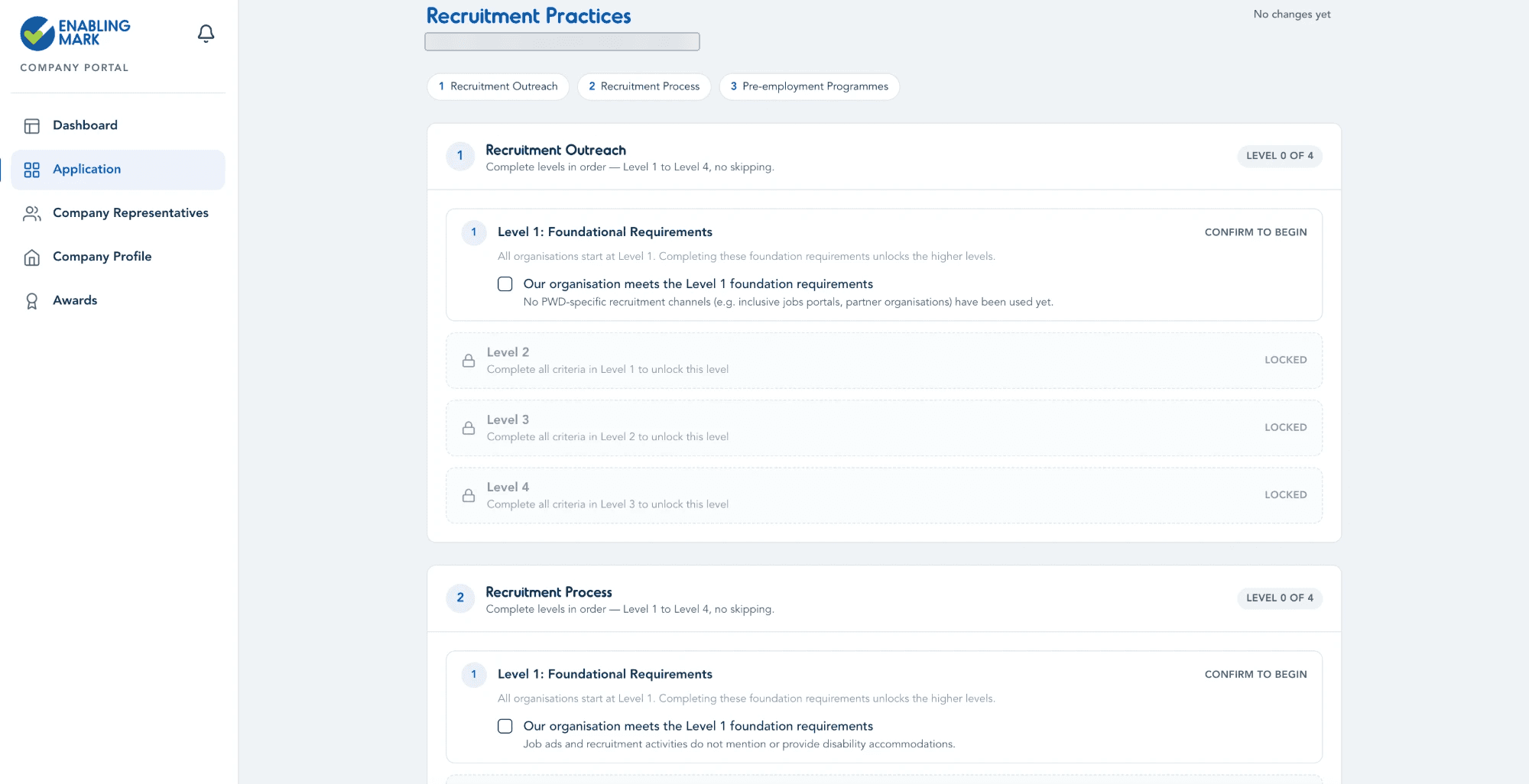
2. Recruitment Practices
Covers Recruitment Outreach, Recruitment Process, and Pre-employment Programmes — your organisation's recruitment outreach, recruitment process, and any pre-employment programmes offered to persons with disabilities (PWDs). Each works through Levels 1–4 as described above.
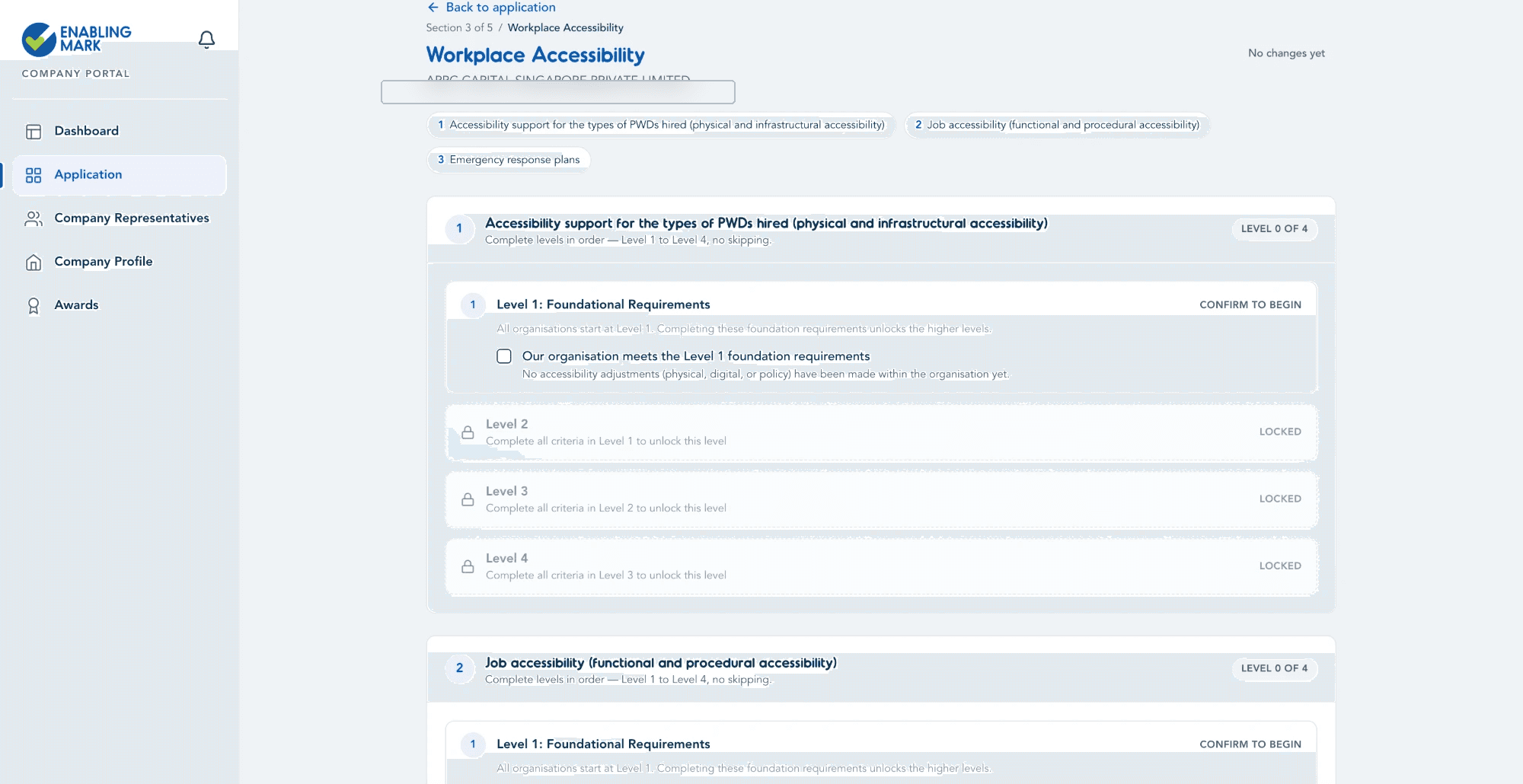
3. Workplace Accessibility
Covers accessibility support for the types of PWDs hired, job accessibility, and emergency response plans — the physical, digital, and procedural accessibility of your workplace. Each works through Levels 1–4 as described above.
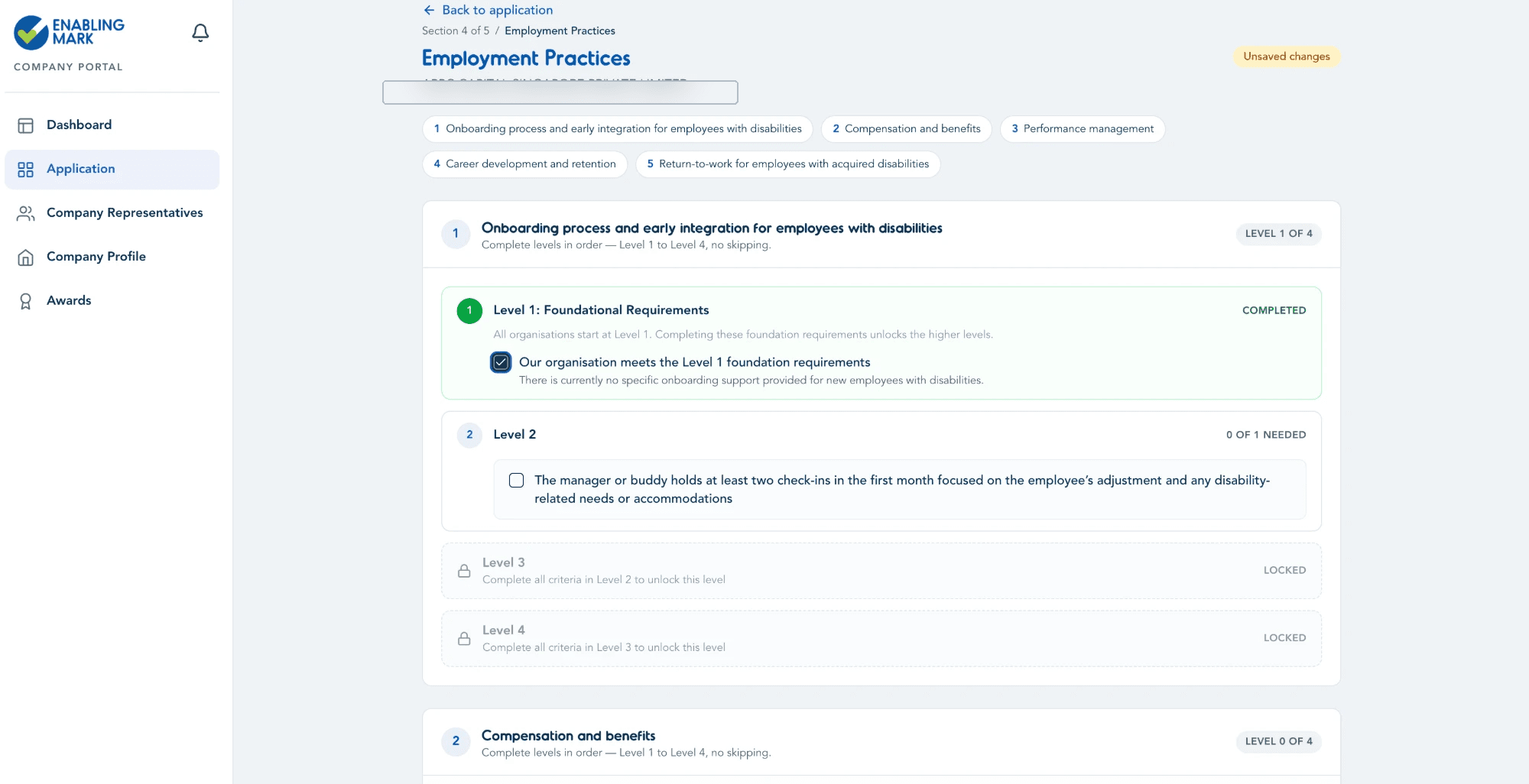
4. Employment Practices
Covers onboarding, compensation and benefits, performance management, career development and retention, and return-to-work support — workplace policies and practices that support PWD employees once hired. Each works through Levels 1–4 as described above.
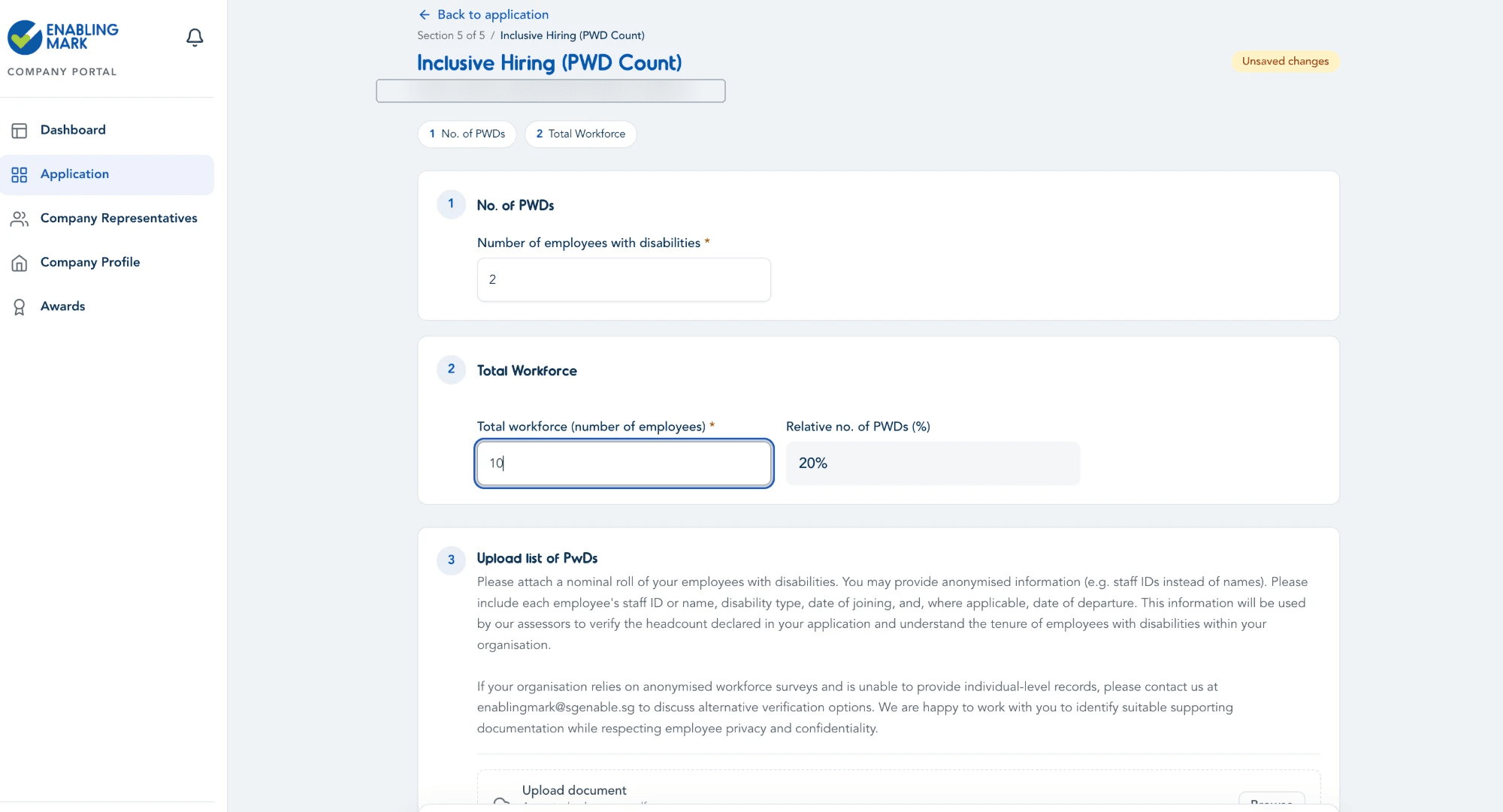
5. Inclusive Hiring (PWD Count)
Unlike the other sections, this one doesn't use Levels. Simply enter your number of employees with disabilities and your total workforce, then upload a supporting nominal roll of PWD employees.
Last updated on