
Application Returned for Changes
If SG Enable needs you to make changes before your application can be assessed, your application will be returned to you. You'll receive a notification and your Dashboard will update to show the reason.
Step 1: Check Your Email
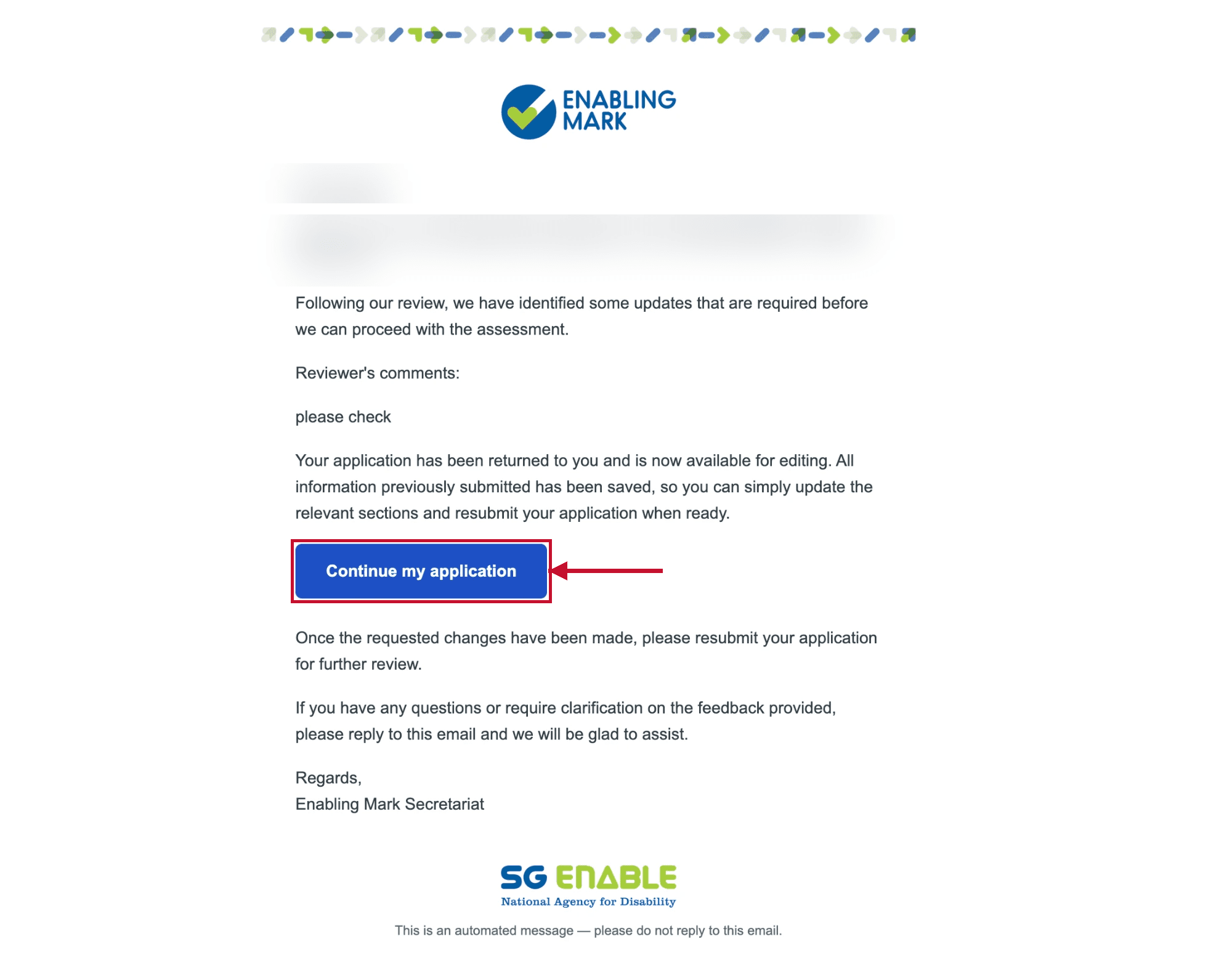
When your application is returned, you'll receive an email from the Enabling Mark Secretariat explaining what needs to be updated. The email includes the reviewer's comments and a Continue my application button — click it to go straight to your application.
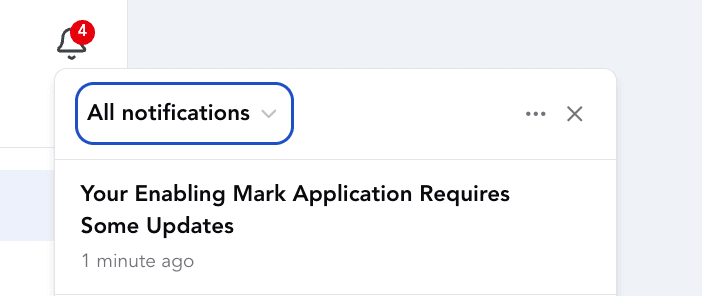
You'll also see a portal notification — click the bell icon in the Company Portal to view it.
Step 2: Read Why It Was Returned
Your Dashboard will show a Returned for changes status, along with a Why it was returned box explaining what needs to be corrected.
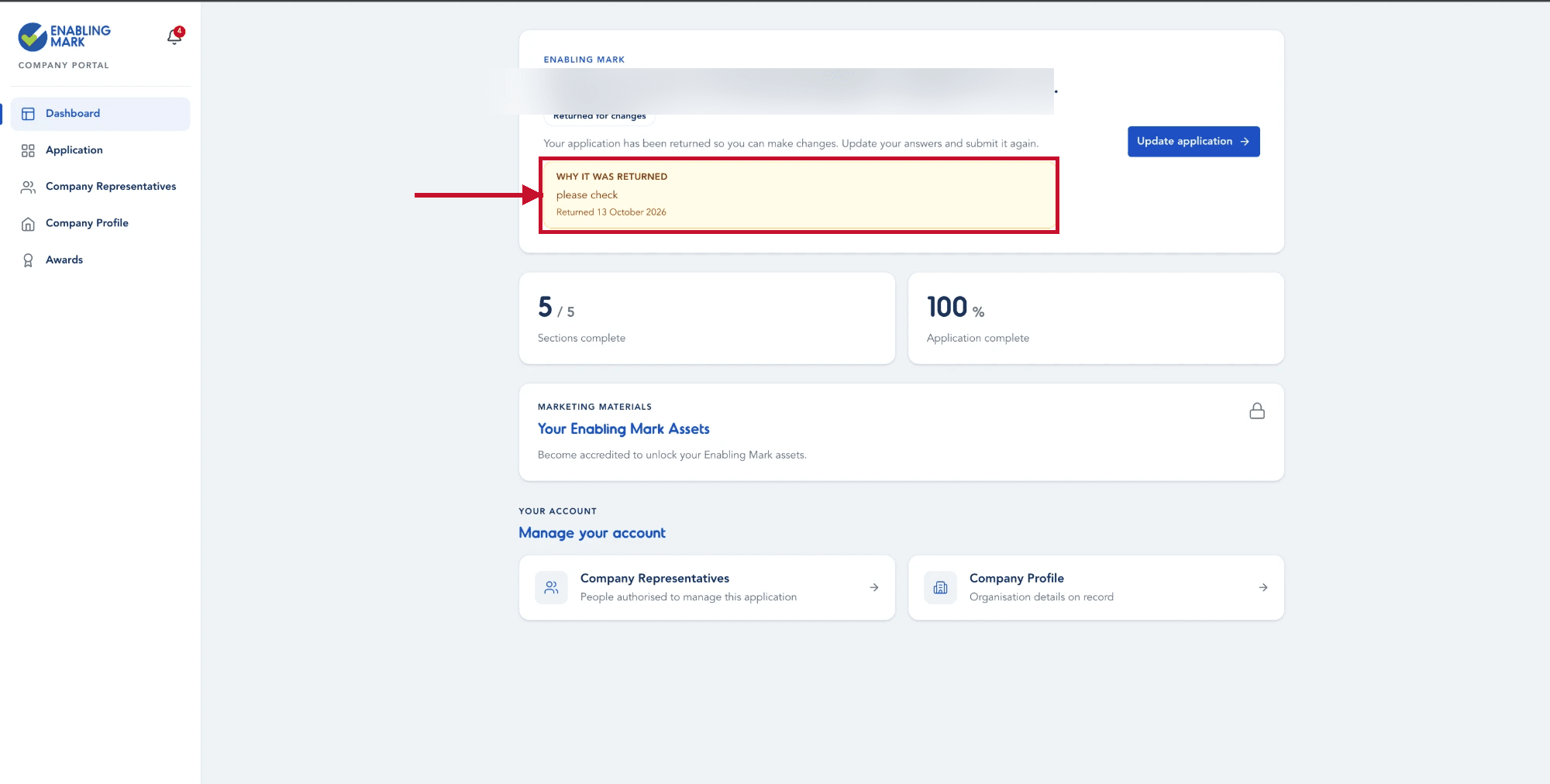
Read the reason carefully before making any changes — it tells you exactly what SG Enable needs from you.
Step 3: Update and Resubmit
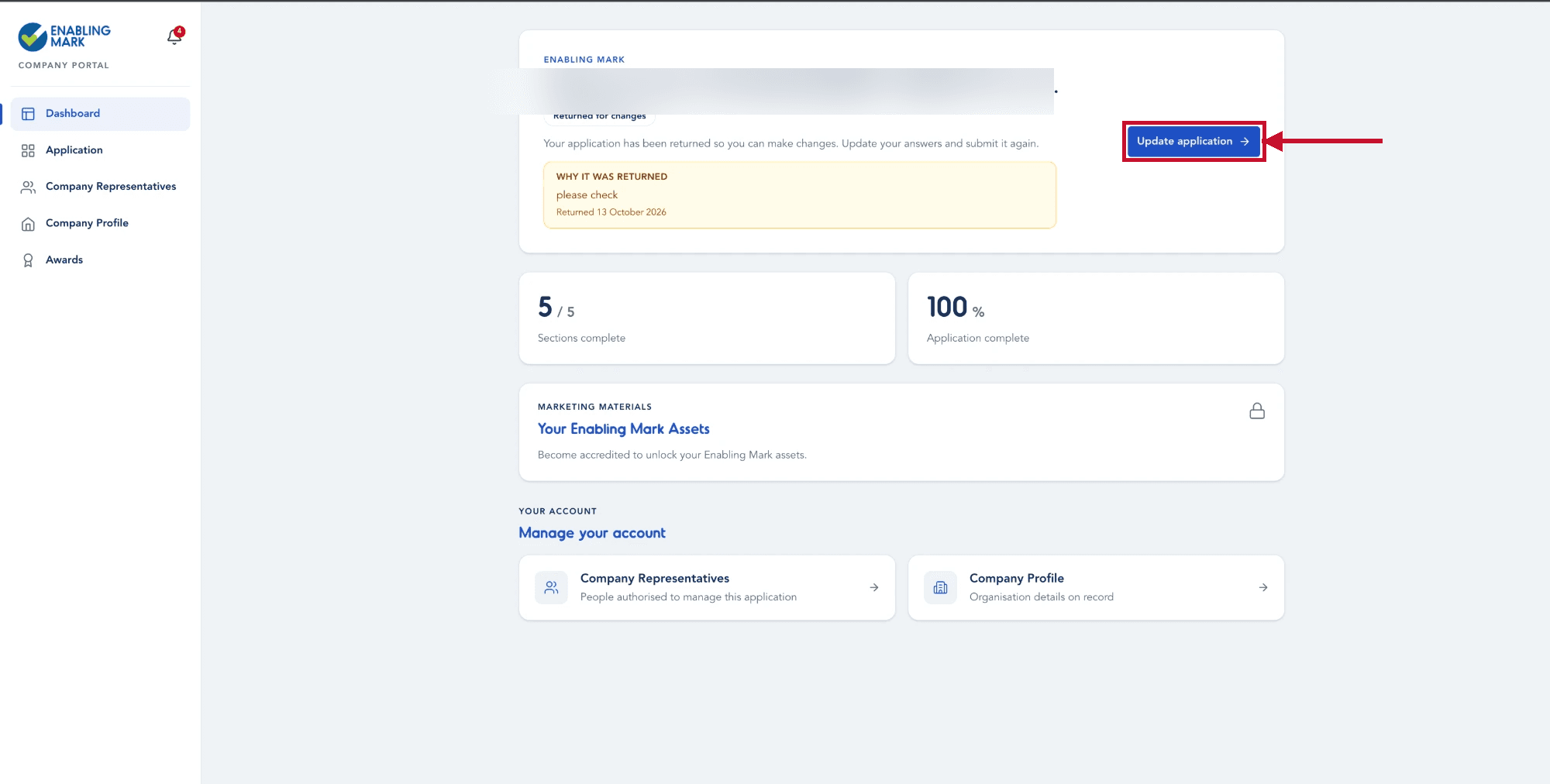
Click Update application to re-open your application and make the required changes.
Once you've made the necessary updates, go through the submission steps as before — see Submitting the Application for a full walkthrough.
Last updated on