
Company Profile
Viewing/Editing Company Details
This guide covers viewing and editing your organisation's profile, and managing your own personal account details.
Viewing Your Company Profile
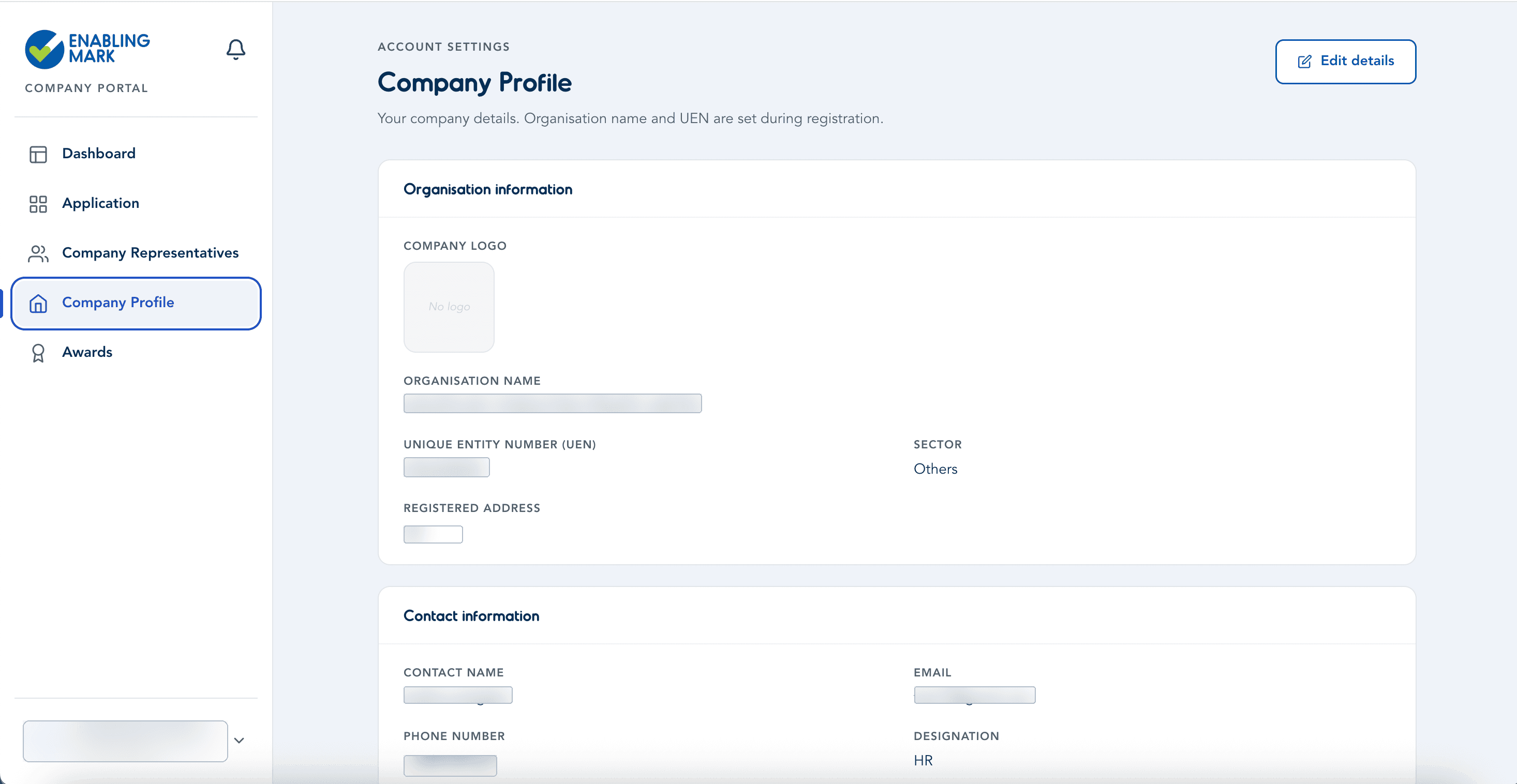
Go to Company Profile to see your organisation's details at a glance — organisation information (logo, name, UEN, sector, registered address) and contact information (contact name, email, phone, designation). Click Edit details to make changes.
Editing Company Details
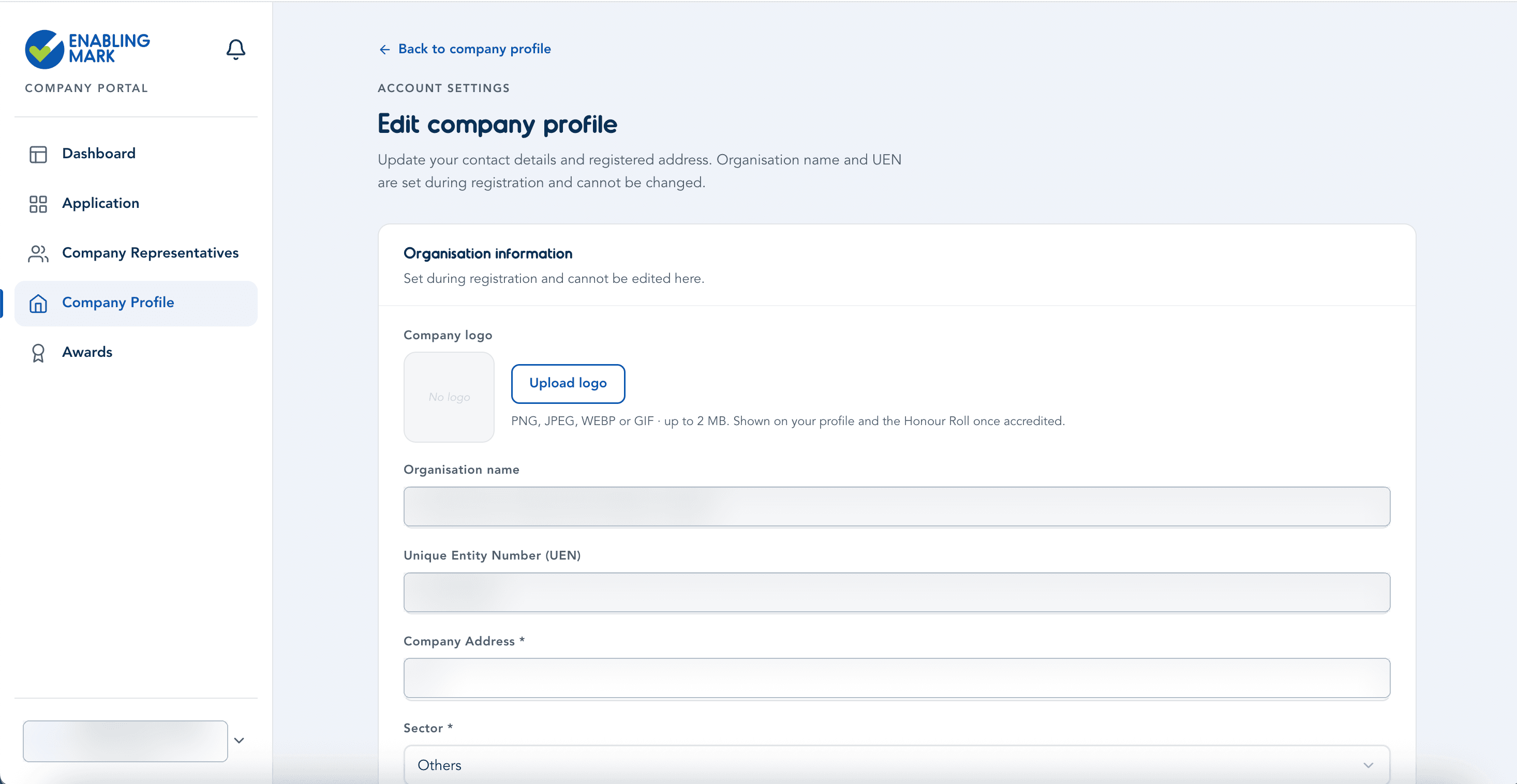
On the Edit company profile page:
- Organisation name, UEN, and company logo are set during registration. The name and UEN cannot be changed here; the logo can be added or replaced with Upload logo (PNG, JPEG, WEBP, or GIF, up to 2 MB — shown on your profile and the Honour Roll once accredited).
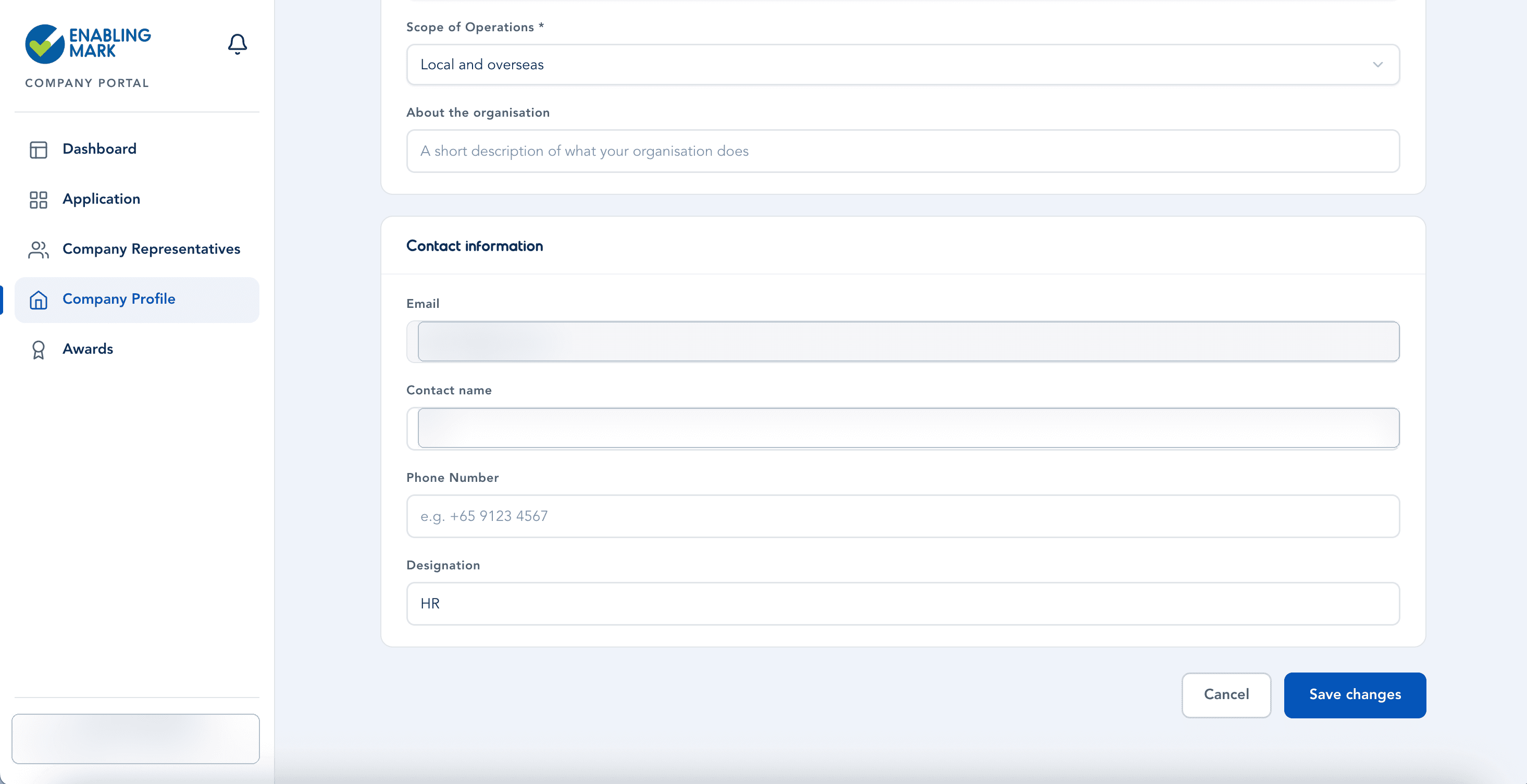
- Company Address, Sector, and Scope of Operations are required (*) and can be updated at any time. About the organisation is optional.
- Under Contact information, update the Email, Contact name, Phone Number, and Designation for your organisation's main point of contact.
Click Save changes when you're done, or Cancel to discard your edits.
Managing Your Personal Account Information
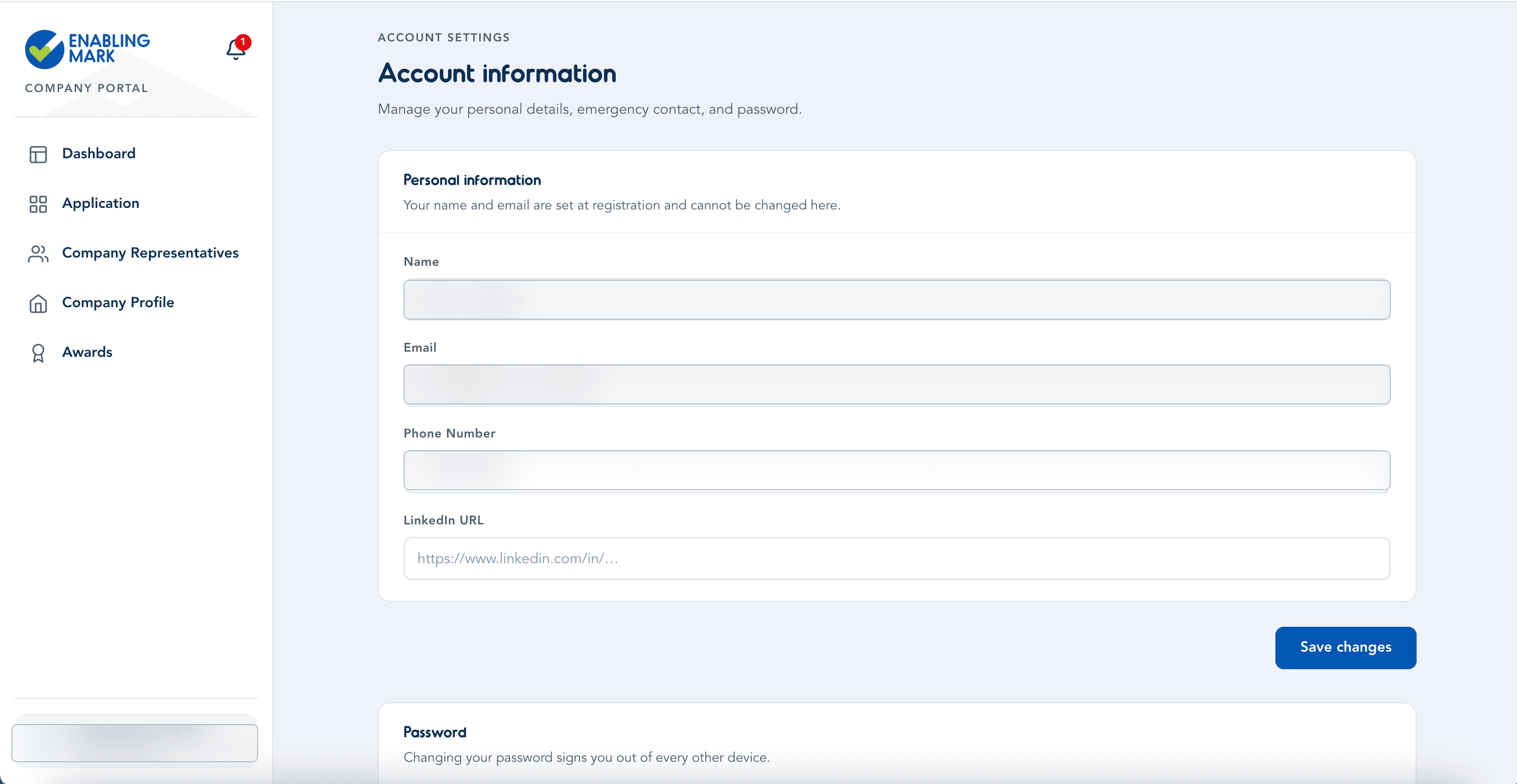
Separately from your company's profile, you can manage your own details from the account menu at the bottom of the sidebar, under Account information.
- Name and Email were set when you registered and can't be changed here.
- Phone Number and LinkedIn URL are optional and can be updated any time — click Save changes to apply them.
- Under Password, you can set a new password. Doing so signs you out of every other device.
Last updated on