
Awards
Viewing/Downloading Certificates & Badges
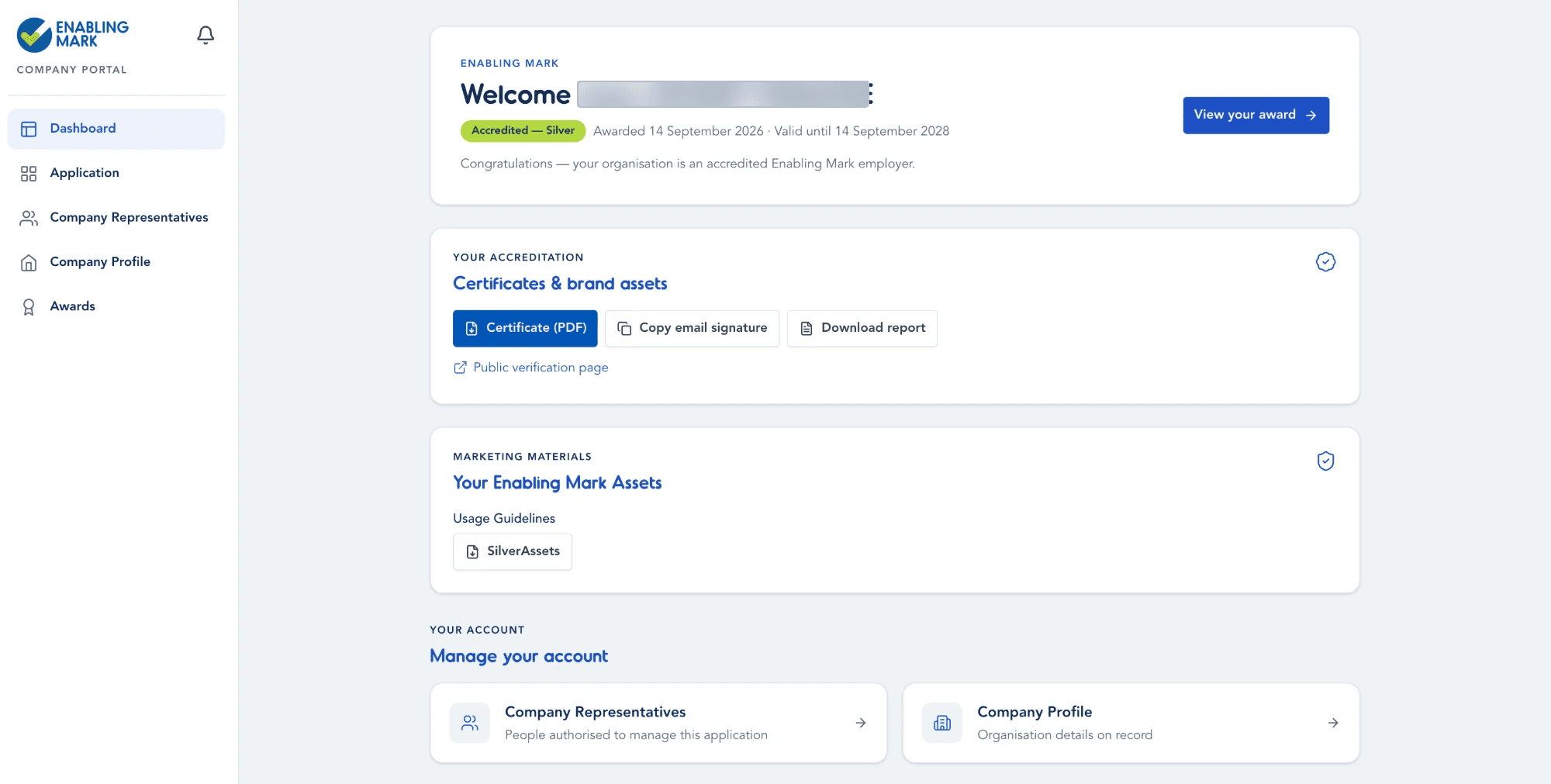
Once your organisation is accredited, your Dashboard shows your award status along with everything you can download or share.
Downloading Your Certificate & Other Documents
Under Your Accreditation → Certificates & brand assets, you can:
- Download your Certificate (PDF)
- Copy email signature — an accreditation badge/line for your organisation's email footers
- Download report — your assessment report
Under Marketing Materials, you'll also find your tier's Usage Guidelines and brand assets (e.g. logo files) to download for your own marketing use.
Verifying Your Award
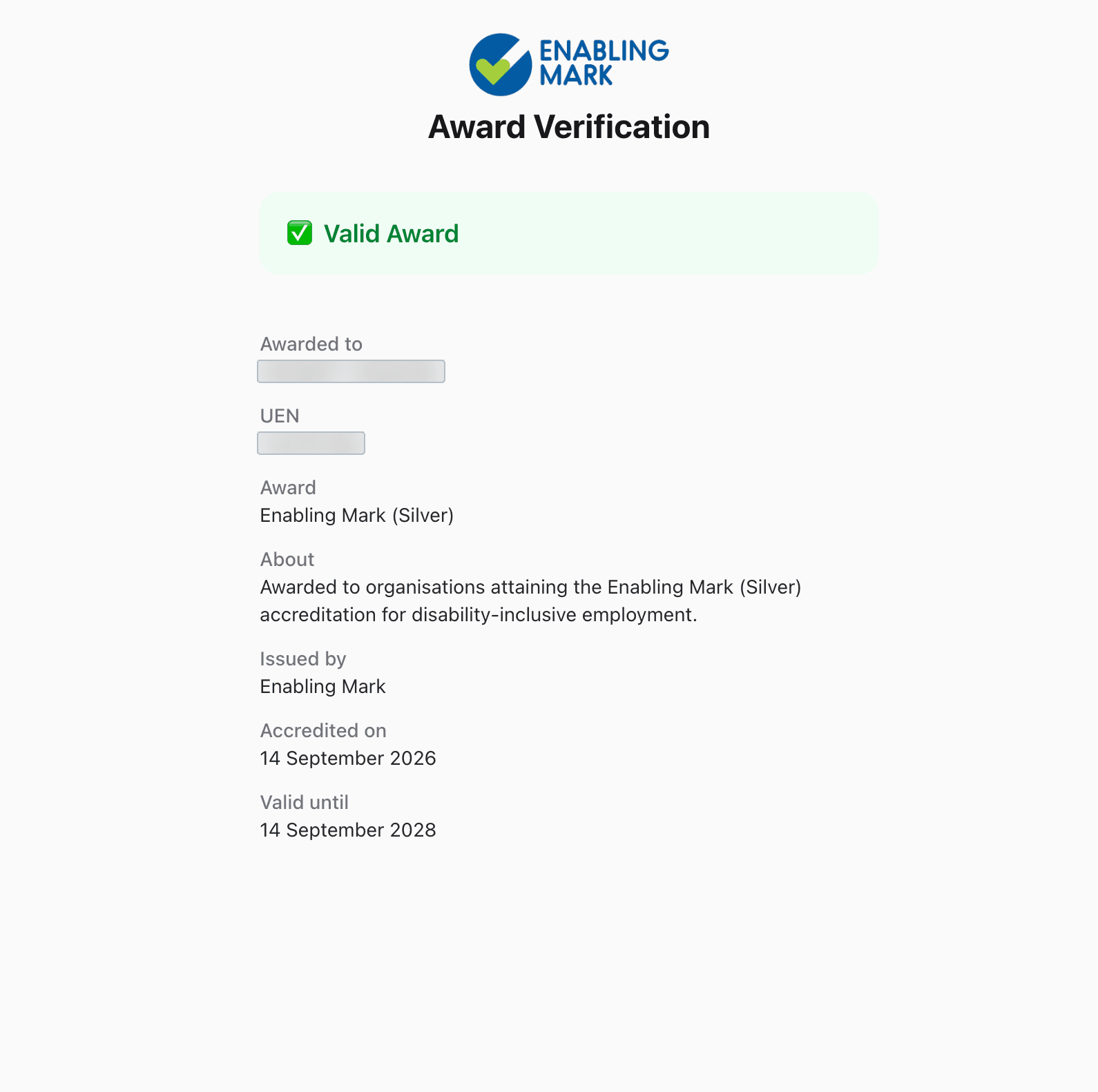
Click Verify (on the Awards page) or Public verification page (on the Dashboard) to open your award's online, shareable verification link. Anyone with this link — no login required — can confirm your accreditation is genuine and still valid.
The verification page shows:
- A Valid Award confirmation banner
- Who it was Awarded to, and the organisation's UEN
- The Award tier, a short description, and who Issued it
- The Accredited on and Valid until dates
Tips
- Share the verification link directly with partners, customers, or job seekers who want to confirm your accreditation.
- The page is public — it only shows the award details above, not any other company or personal information.
Last updated on